New Release: v8.3-beta3 is now live!

The Windows Taskbar
you missed on Mac

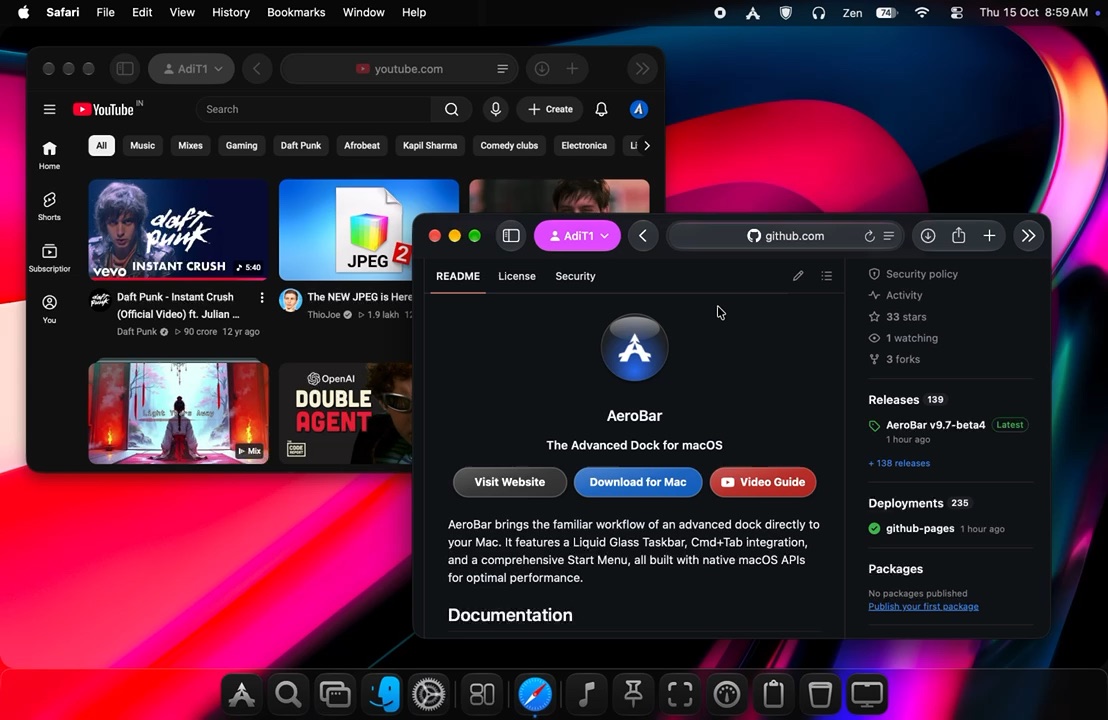
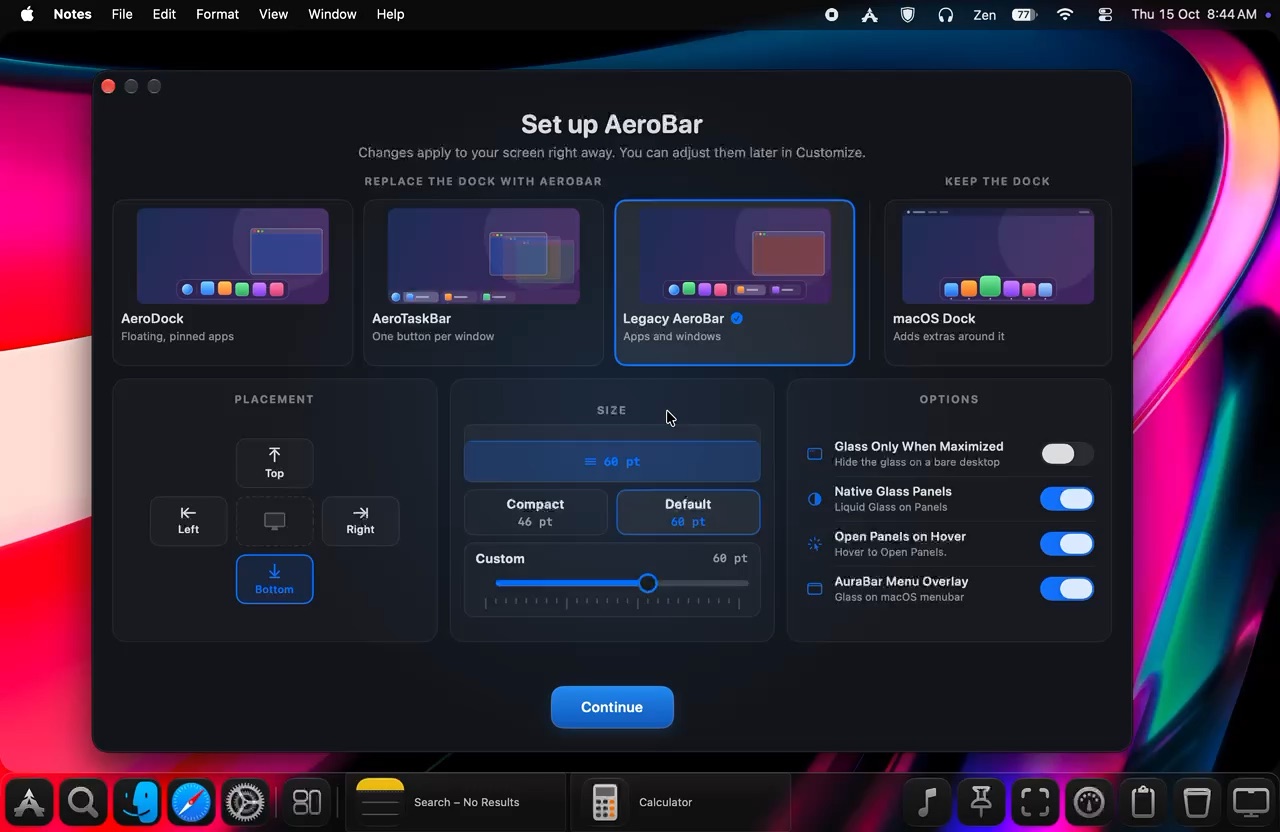
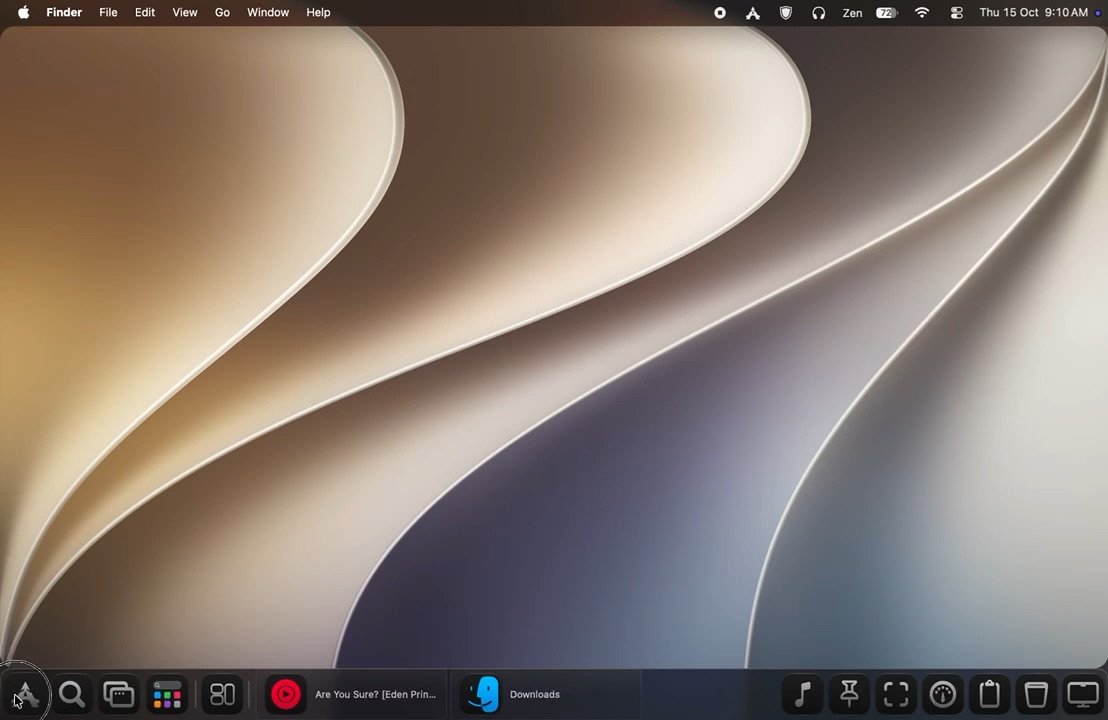
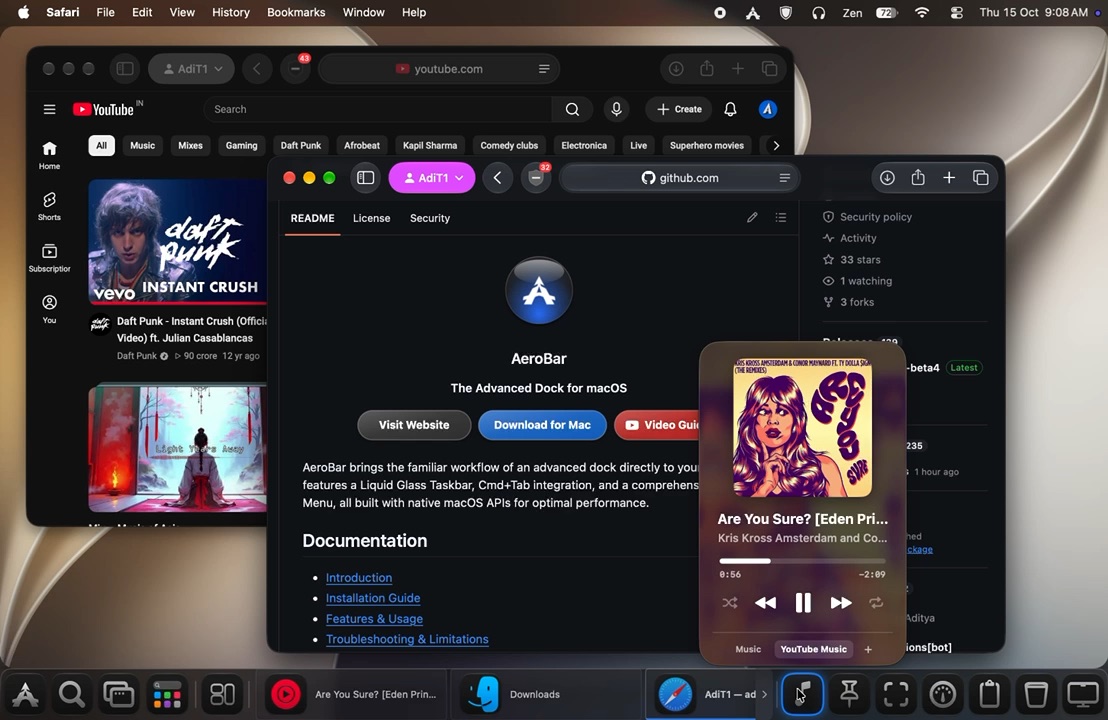
Aero glass look, Start Menu, live window tabs, pinned app launcher - all sitting at the bottom of your screen, exactly where you expect it.

brew tap adityaonx/aerobar https://github.com/adityaonx/AeroBar && brew install --cask aerobar --no-quarantine
Download for Mac View on GitHub
-- Downloads

Free (Limited Time) · macOS Tahoe (Supports experimental Sonoma/Sequoia) · Apple Silicon

🖱 Click wallpaper to change colors
   Finder   File   Edit   View   Go   Window   Help
🔋 100%   Wi-Fi   Mon 17:39
User AdiT
All Applications
AeroBar
Finder
Affinity
App Store
Calendar
Safari
Photos
Music
System Settings
Pinned Shortcuts
Finder
System Settings
Recommended
AeroBar 1
Just now
AeroBar 2
Minutes ago
Dmgs
An hour ago
XCode
Earlier today
Aerobar
Today
Appearance Lab
Window content
Maximized window
esc
AeroBar
Search
AeroBar - AeroBarPanel.swift
AeroBar - Windows-style...
Finder
AeroBar - Windows-style Task...
Downloads

Illustration purposes only, actual UI may vary

Tint Color
Tint Intensity
80%
Tint Brightness
80%

See it in action

Built to feel native

Real macOS materials, real accessibility APIs - not a theme, not a wrapper.

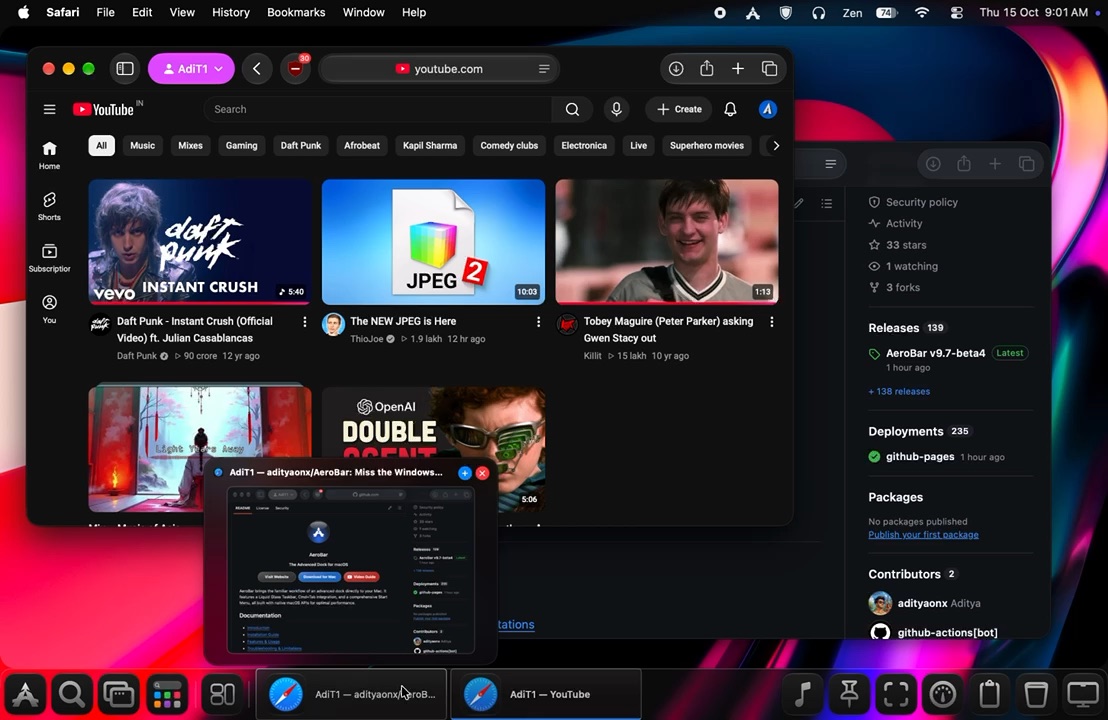
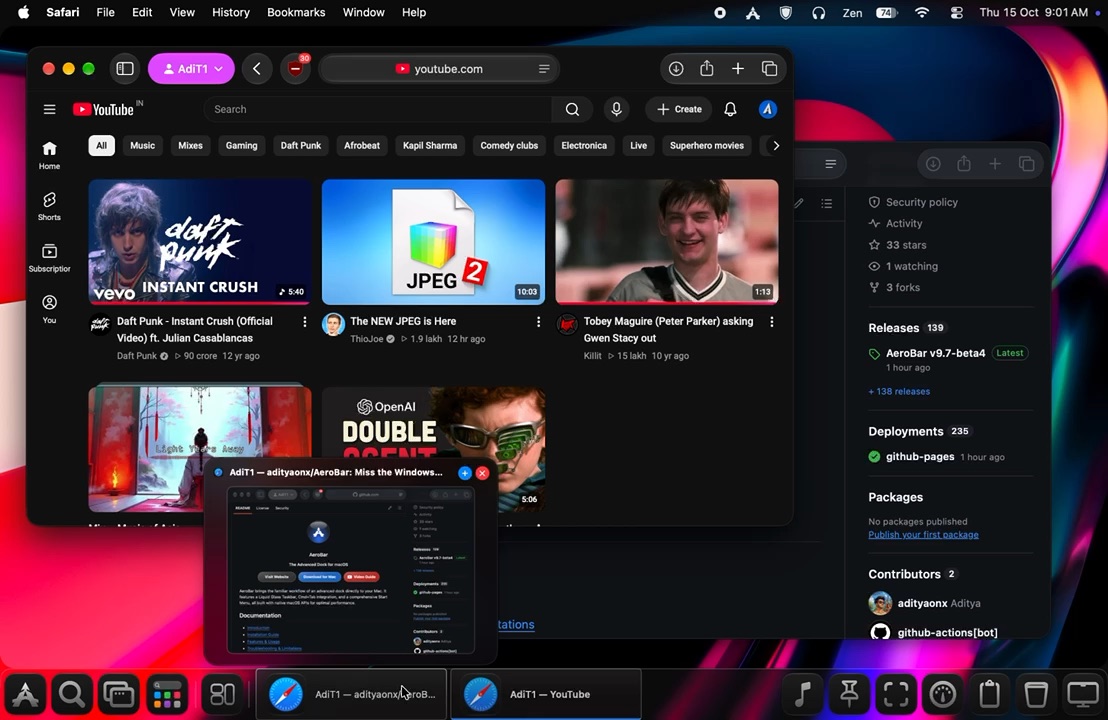
Quick switch between app windows in AeroBar
Quick Window Switching
AeroBar Start Menu
Start Menu
Pinned app launcher in AeroBar
Pinned App Launcher
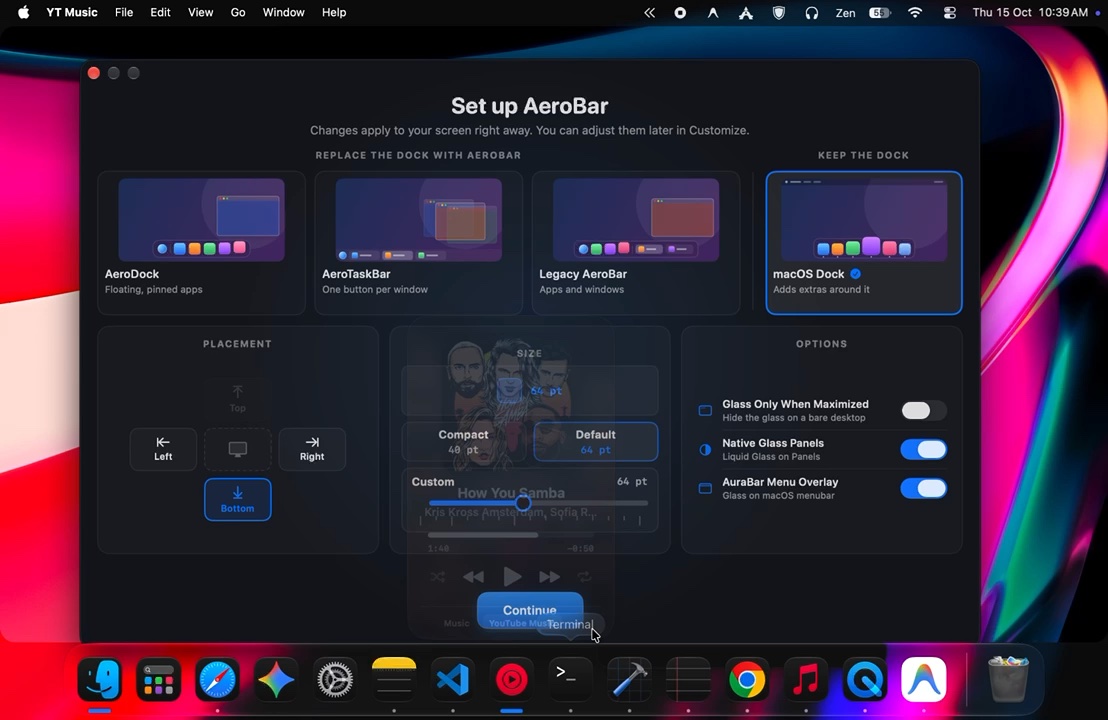
AeroBar Appearance Lab customization
Appearance Lab

Every detail

Everything you loved about
the Windows taskbar

And nothing that makes your Mac feel slow.

Mac Aero Start Orb
The iconic circular Start Orb in the bottom-left corner. Click it and the full Start Menu opens anchored to your display. Light and dark hover states, fully customizable in Appearance Lab.
Live Window Tab Strip
Every open window appears as a tab in real time. Click to focus, click again to minimize, click a minimized tab to restore. Exactly like Windows - no Exposé cycling needed.
Pinned App Launcher
Drag-and-drop your favourite apps into the tray. Click to launch, click to raise all windows, click again to minimize. Right-click any tab to pin that app directly.
Spotlight Quick Search
An inline search field fires macOS Spotlight directly. Type an app name, file, or even a calculation and hit Return - exactly like the Windows taskbar search box.
Full Start Menu
User avatar, live search across all sections, pinned app grid with drag-to-reorder, alphabetical all-apps browser, and recent file recommendations powered by Spotlight metadata.
Recycle Bin Button
The Trash shortcut lives exactly where Windows users expect - the right end of the bar. One click opens Trash in Finder.
Multi-Display Support
Show the taskbar on all monitors, main screen only, or external displays only. Each display's taskbar is fully independent. The Start Menu opens on whichever monitor you clicked.
Appearance Lab
Tune everything: glass blend style, liquid tint hue (full color picker), surface tint density, specular bevel, icon-only mode, search field visibility, and display target. All settings persist across reboots.

100% Offline Core

Privacy & Security First

AeroBar requires Accessibility access to interact with your windows. We know how sensitive this is, so we built the app to be verifiably secure by design.

Fully Offline Engine
All window management, accessibility tracking, and clipboard functions run locally on your Mac. No data leaves your machine.
Zero Telemetry
AeroBar includes absolutely no analytics, user tracking, or crash reporting telemetry. What you do stays on your screen.
Verifiable Network
The *only* time AeroBar makes a network request is to ping the official GitHub repository for software updates.

History & Updates

Releases

Track active development, features, and fixes added to AeroBar.

v8.3-beta2
Released July 2026

Key Highlights & Fixes

  • Hover Responsiveness: Fixed hover lag and sticky button states during Focus Mode animations.
v8.3-beta1
Released July 2026

Key Highlights & Fixes

  • OS Support: Added experimental support for macOS Sonoma and macOS Sequoia.
v8.2-beta10
Released July 2026

Key Highlights & Fixes

  • Memory Leaks & Performance: Fixed severe memory leaks and CPU hitches related to window tracking and clipboard thumbnail generation.
v8.2-beta8
Released July 2026

Key Highlights & Fixes

  • Display Background Dimmer: Added a new toggle to optionally dim the wallpaper on secondary/inactive displays when they have no windows, preventing bright wallpapers from causing glare.
  • Multi-Display Focus Mode: Completely fixed multi-monitor Focus Mode bugs where dimming panels would display at the wrong coordinates (e.g., midway down external displays) or fail to correctly trigger on hover.
  • Codebase Cleanup: Fixed deprecated property warnings and modernized dictionary initializers.
v8.2-beta6 Stable
Released July 2026

Key Highlights & Fixes

  • Settings UI: Restructured "Surface Tint Density" to be grouped correctly under "Liquid Tint Hue", matching the visual style of "Tint Brightness" with a dark background fill.
  • Focus Mode: Corrected the icon shading for the Search and Trash buttons to match dimmed buttons.
  • Focus Mode: The dim tint now applies instantly upon resizing the AeroBar window.
  • Focus Mode: Disabled the "bevel" edge effect on both the top and bottom bars while in focus mode.
  • Focus Mode: Fixed a flickering issue that occurred when hovering over pinned apps.
v8.2-beta5 Stable
Released July 2026

Note for old v8.0/older users: This update stabilizes performance loops and UX rendering efficiency.

Key Highlights & Fixes

  • Daemon Optimization: Eliminated severe CPU usage and UI hitches (saving ~500ms per tick) by caching Space IPC calls and eagerly short-circuiting invisible phantom windows.
  • Memory Leaks: Plugged continuous memory leaks caused by undocumented CGS WindowServer APIs returning +1 unmanaged CF types.
v8.2-beta4 Stable
Released July 2026

Note for old v8.0/older users: This update stabilizes performance loops and UX rendering efficiency.

Key Highlights & Fixes

  • Performance: Resolved a critical layout/rendering loop that caused massive 40% CPU overhead whenever the Start Menu or Cmd+Tab panels were open. The glass masking is now fully processed by native AppKit CoreAnimation layers.
  • Responsiveness: Re-architected AX accessibility hit-testing to run completely off the main thread, fixing frequent 5-second UI lockups when clicking zoom and window control buttons.
  • Stability: Fixed a layout crash (Invalid frame dimension) that occurred during the initial display of the Cmd+Tab panel.
v8.2-beta2 Stable
Released July 2026

Note for old v8.0/older users: This update stabilizes our trackpad gestures and window positioning framework.

Key Highlights & Fixes

  • Trackpad Gestures Redesign: Replaced the 4-finger swipe up/left/right gesture cycling with 3-finger swipes, completely freeing up 4-finger trackpad gestures for native macOS features (like Mission Control or spaces).
  • No Update Interruptions: The update checker will no longer interrupt you with popups while any connected display is in true fullscreen mode or if the active app window is maximized.
  • Window Positioning & Repositioning Fix: Resolved a layout coordinate bug that caused window tabs and previews to reposition app windows slightly downward when switching or pulling cross-display.
  • Customization Button Hover Fix: Fixed the customization button interaction bounds so tapping its surrounding hover area triggers the customization panel correctly.
  • App Icon Corner Squircle: Adjusted the pinned app icon corner mask to match native macOS squircle/rounded icon design constraints.
  • Hover Jitter Lock: Silenced physical trackpad cursor drift from interfering with the active 3-finger swipe gesture cycle highlights.
v8.1-beta Stable
Released July 2026

Note for old v8.0/older users: This update is marked as a full release to trigger updates automatically via the legacy check-for-updates system.

Key Highlights

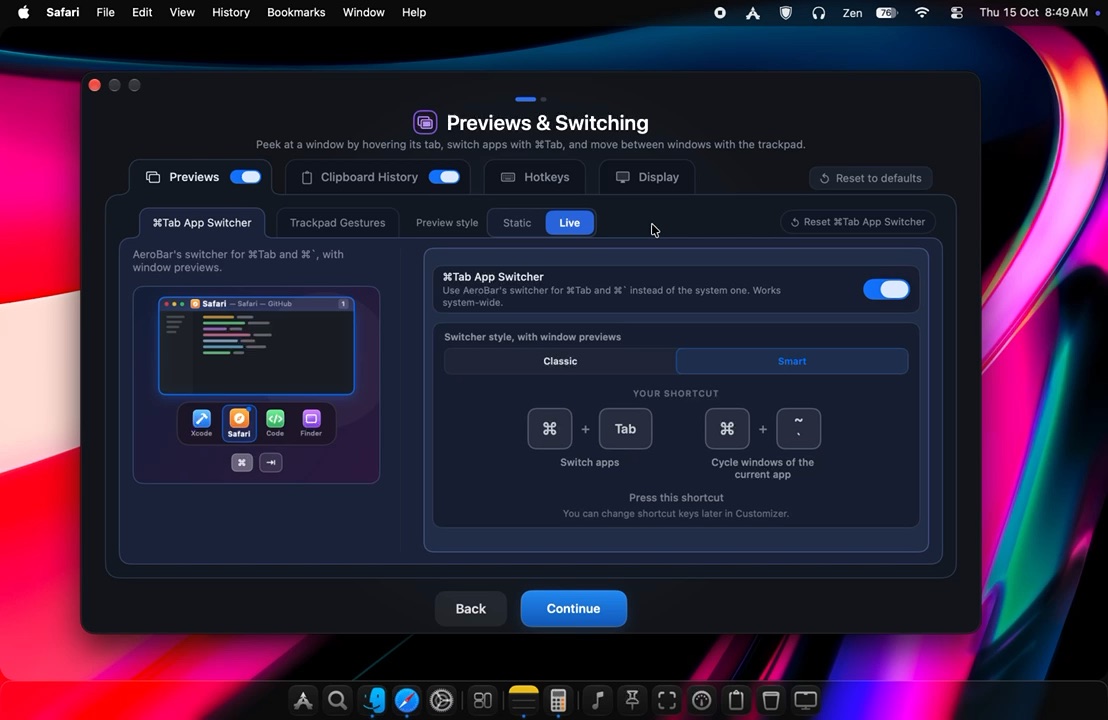
  • Cmd+Tab & Gesture Switching Fixes: Solved issues when using 3–4 finger swipe gestures to switch back to the last active window. Window preview hovers now correctly follow the custom Window Preview Size settings without clipping.
  • Liquid Design macOS Aesthetics: Introducing beautiful, native AppKit glass vibrancy with custom light/dark mode-split accent colors, customizable selection intensity, and a 0.5pt specular bevel highlight.
  • Stability & Performance: Resolved background issues that caused window switching lag and memory leaks, ensuring a responsive and resource-friendly experience.
  • Window Workspace Fixes: Resolved the fullscreen Space flicker and VLC fullscreen window rendering compatibility bugs.

Full Change List

User Interface & Aesthetics

  • Added selection highlight color intensity slider.
  • Added Active Tab Dimmer for inactive states.
  • Fixed icon padding, welcome screen gaps, and EULA layout on boot.

System & Battery Optimizations

  • Moved window tracking updates to dynamic background threads.
  • Added battery drain warning for heavy CPU background loops.
  • Improved overall idle CPU utilization (targeting 0% idle).

Stability & Reliability

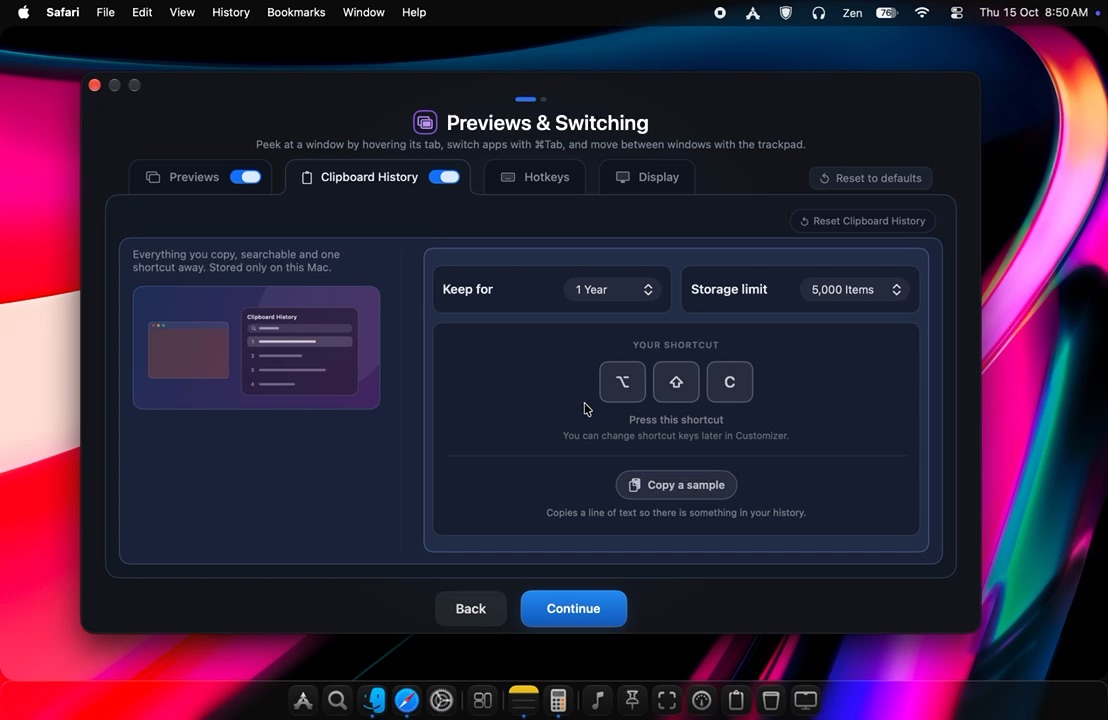
  • Added Clipboard History delete confirmation.
  • Fixed Context Menu freeze issues.
  • Upgraded license and trial handling logic.
v8.0 Stable
Released June 2026

Baseline Features

  • Liquid Glass Taskbar: Blurs and tints desktop wallpapers dynamically.
  • Start Orb & Menu: Interactive start launcher with application browser and Spotlight search integration.
  • Live Window Tab Strip: One-click app switching showing window titles and app icons natively.
  • Multi-Display Integration: Independent taskbar layout across all secondary monitors.

Get started in minutes

Installation

Three steps and the taskbar is live at the bottom of your screen.

Why these extra steps are needed

Apple charges developers a $100/year subscription fee to sign and notarize Mac applications. To keep AeroBar entirely free during our experimental alpha, we self-sign the app rather than paying this fee. As a result, macOS Gatekeeper flags it by default, and window tracking requires Accessibility access to interact with your workspace. Both permissions are completely safe and take less than a minute to authorize below.

1

Download & Install

Download AeroBar.dmg, open it, and drag AeroBar.app to your /Applications folder.

2

Bypass Gatekeeper (first launch only)

AeroBar is self-signed. On first launch, go to System Settings → Privacy & Security and click Open Anyway. Or run: xattr -rd com.apple.quarantine /Applications/AeroBar.app

3

Grant Accessibility Permission

AeroBar needs Accessibility access to track and control windows. The onboarding screen guides you directly to the right settings panel. Toggle AeroBar on, then click Start AeroBar. The taskbar appears instantly.

Honest pricing

Free for a limited time

No subscription, ever. Secure your copy for free during the Alpha.

Free*

Full access during Experimental Alpha

Download for Free
* Upcoming (post v1.0): A free trial + one-time Pro unlock for advanced theming, unlimited pinned apps, and multi-display controls. No subscriptions. Ever.

Get in touch

Contact

Have questions, feedback, or just want to say hi? We'd love to hear from you.

X Email